

How to troubleshoot a Dmr Walkie - talkie?
Oct 30, 2025
Leave a message
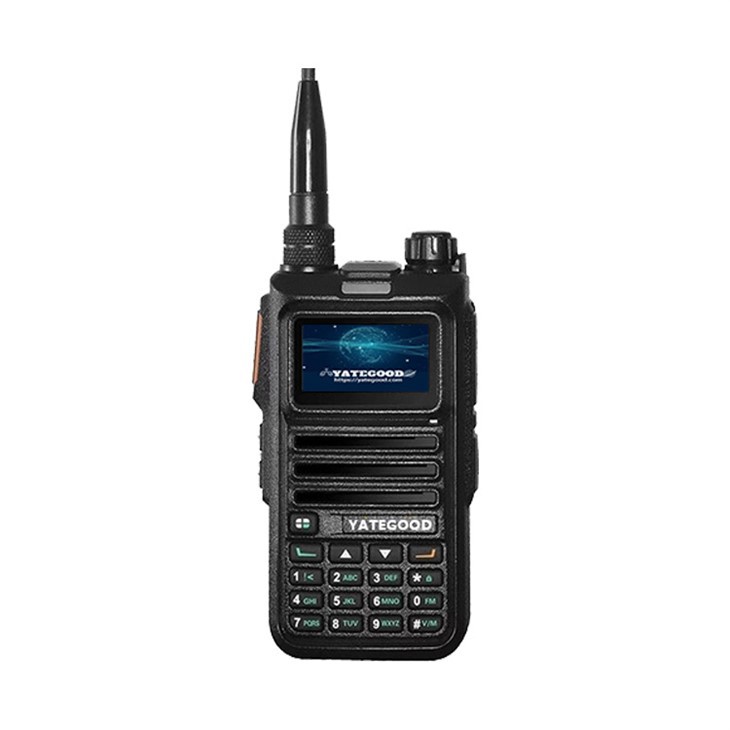
Hey there! As a supplier of Dmr Walkie - talkies, I've seen my fair share of issues that users face. Troubleshooting these devices can be a bit of a headache, but don't worry, I'm here to guide you through the process.
1. No Power
One of the most common problems you might encounter is that your Dmr Walkie - talkie won't turn on. First things first, check the battery. Make sure it's properly inserted. Sometimes, the battery can get loose during use or when you're moving around. If it's a rechargeable battery, try charging it. Plug it into a reliable power source using the charger that came with the device.
If the battery is fully charged and still the walkie - talkie doesn't power on, there could be an issue with the power switch. Take a close look at it. See if it's stuck or damaged. If it seems to be physically broken, you might need to get it replaced. You can check out our Dmr Walkie - talkie page for replacement parts or new units.
2. Poor Audio Quality
Another annoying problem is when the audio sounds distorted, too quiet, or too loud. Let's start with the volume. Check the volume controls on your walkie - talkie. Make sure they're not set to the lowest level. If the volume is set correctly but the audio is still bad, it could be due to a blocked speaker.
Inspect the speaker grille for any dirt, dust, or debris. You can use a small brush or a can of compressed air to clean it gently. Sometimes, a simple cleaning can do wonders for the audio quality.
If the problem persists, it might be an issue with the audio settings. Some Dmr Walkie - talkies have advanced audio settings that you can adjust. Refer to your device's manual to see if there are any audio equalizer or tone settings that you can tweak.
3. Connectivity Issues
If you're having trouble connecting to other Dmr Walkie - talkies on the same network, there are a few things you can do. First, check the channel settings. Make sure you're on the correct channel. Sometimes, you might accidentally change the channel, and that can cause communication problems.
Also, check the signal strength. If you're in an area with a lot of interference, like near a large building or a power line, the signal might be weak. Try moving to a different location, preferably an open area with fewer obstacles.
If the issue is with the network settings, you might need to re - configure them. This can be a bit more technical, so it's a good idea to refer to your device's manual. You can also visit our Dmr Radio Mobile page for more information on network configuration.
4. Display Problems
A faulty display can be a real pain. If the display is blank, check the power first. As we mentioned earlier, a dead battery or a power switch issue can cause the display to go out. If the power is fine, it could be a problem with the display itself.
Some displays can get damaged if they're dropped or exposed to extreme temperatures. If you suspect the display is broken, you can try to replace it. You can find compatible display parts on our Dmr Walkie - talkie page.
If the display is showing strange characters or is flickering, it might be a software issue. Try resetting the device to its factory settings. This will erase all your custom settings, so make sure you back them up first if possible.
5. Battery Life Issues
If your Dmr Walkie - talkie's battery doesn't last as long as it used to, there are a few reasons for that. First, the battery might be old. Rechargeable batteries have a limited number of charge cycles, and over time, their capacity decreases. If your battery is more than a couple of years old, it might be time to replace it.
Also, check how you're charging the battery. Avoid over - charging or under - charging it. It's best to follow the charging instructions in your device's manual. Using a non - compatible charger can also damage the battery and reduce its lifespan.
6. Compatibility Issues
Sometimes, you might have problems using your Dmr Walkie - talkie with other devices, like a Motorola radio. If you're facing compatibility issues, first check the device specifications. Make sure your Dmr Walkie - talkie is compatible with the other device you're trying to use it with.
You can find more information on compatible devices on our Dmr Radio for Motorola page. If the problem persists, it could be due to a firmware issue. Try updating the firmware of your Dmr Walkie - talkie to the latest version. This can often fix compatibility problems.

Conclusion
Troubleshooting a Dmr Walkie - talkie can seem daunting at first, but by following these steps, you can often solve the most common problems. Remember, if you're still having trouble after trying these solutions, don't hesitate to reach out to us.
We're here to help you get the most out of your Dmr Walkie - talkie. Whether you need replacement parts, technical support, or just some advice, we've got you covered. If you're interested in purchasing new Dmr Walkie - talkies or related products, feel free to contact us for a quote and start a procurement discussion.
References
- Manufacturer's Manuals for Dmr Walkie - talkies
- Industry Knowledge and Experience as a Dmr Walkie - talkie Supplier